Block Blast Solver

How to Use the Block Blast Solver
-
Draw Your Game Board
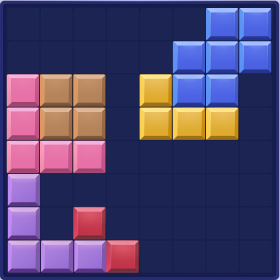
Tap or click cells on the 8×8 grid to mark blocks already on your board. Drag to fill multiple cells quickly.
-
Draw Your 3 Blocks
In the three 5×5 editors below the board, draw the shape of each block piece you need to place.
-
Hit Solve
The solver uses an advanced backtracking algorithm to find the move sequence that maximizes your score.
-
Follow the Steps
Review the step-by-step solution. Orange cells show where to place each block. Highlighted lines show which rows and columns will be cleared.
About Block Blast Scoring
In Block Blast, you earn points for every cell you place plus bonus points for clearing complete rows or columns.
| Lines Cleared | Bonus Points |
|---|---|
| 1 line | 10 pts |
| 2 lines | 20 pts |
| 3 lines | 60 pts |
| 4 lines | 120 pts |
| 5 lines | 200 pts |
| 6+ lines | 300 pts |
| Clear board | 360 pts |
Tips for High Scores
- Clearing multiple lines in a single move earns exponentially more points.
- Keep the board as flat as possible for more clearing opportunities.
- The order you place your 3 blocks matters — the solver tests all permutations.
- Aim for full board clears (360 bonus) when possible.
Frequently Asked Questions
How does the Block Blast Solver work?
The solver uses a backtracking algorithm to exhaustively search all possible placements of your 3 blocks on the 8×8 grid, finding the optimal strategy.
Is the Block Blast Solver free?
Yes, completely free. All calculations run locally in your browser — no server, no ads, no sign-up required.
How is the score calculated?
Each cell placed earns 1 point. Line clears earn bonuses: 1 line=10, 2=20, 3=60, 4=120, 5=200, 6+=300. Full board clear=360.
Does it work on mobile?
Yes! Fully responsive with touch drawing support on any device.
Can I upload a screenshot?
Yes! Upload a Block Blast screenshot and the app will automatically recognize the grid and blocks using image recognition.